

Drafting with the ribbon you know, built in pure Rust.
DWG and DXF drawings with the command line, object snaps, layers, dimensions, hatches, blocks and layouts you already know. Native on macOS, Windows and Linux — and agents can drive it through MCP.
macOS · Windows · Linux
Other platforms and downloads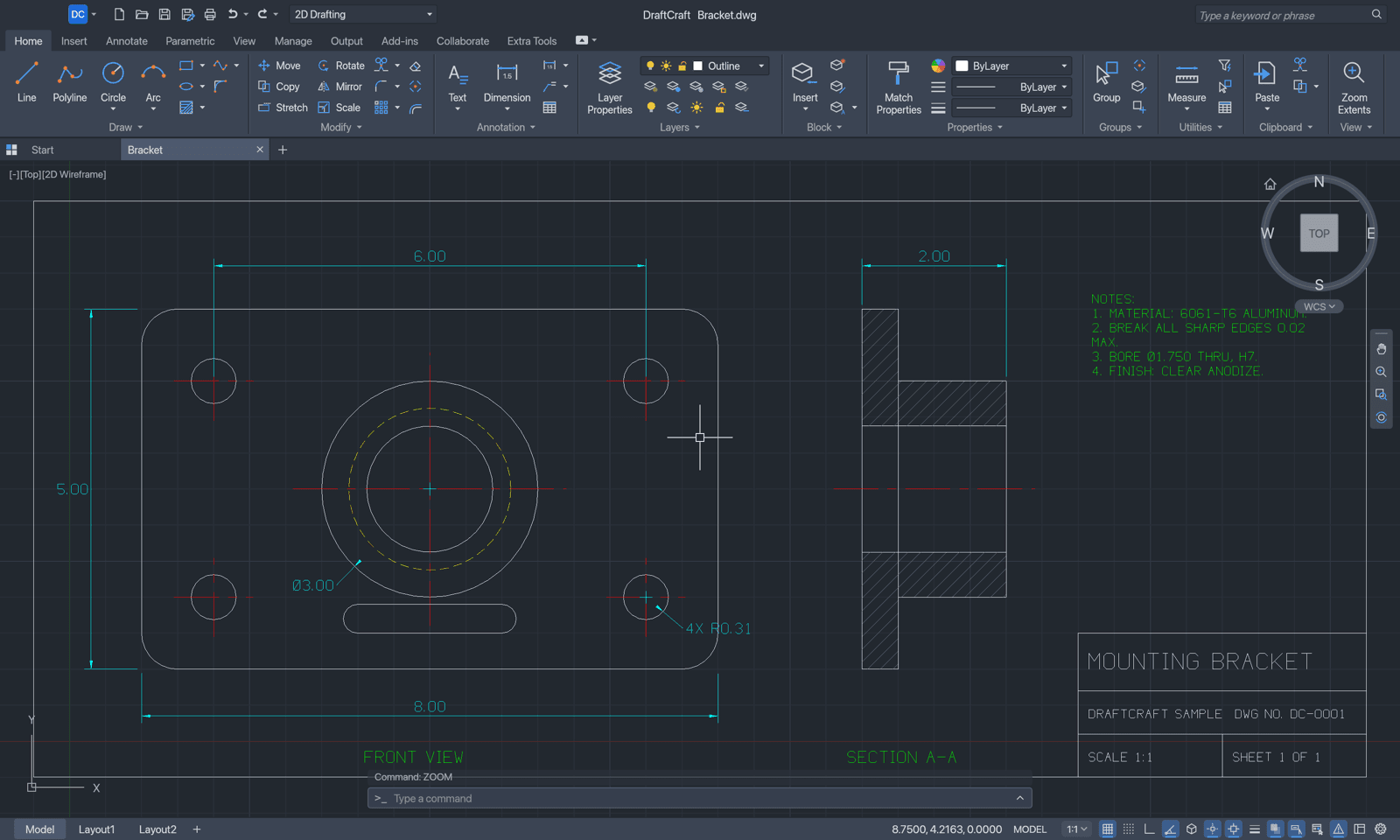
10
Ribbon tabs
18
Interface languages
3
Desktop platforms
100%
Pure Rust
What's inside.
The workflow you know
Type L, click two points, type @5<45, press Enter. Prompts with clickable keywords, AutoComplete, object snaps, polar tracking, ortho, grips and right-click-to-repeat behave the way drafting habit expects.
The ribbon you know
Ten tabs with large, small and split buttons, the layer and property lists, the application menu and the Quick Access Toolbar — the same on macOS, Windows and Linux.
Open files
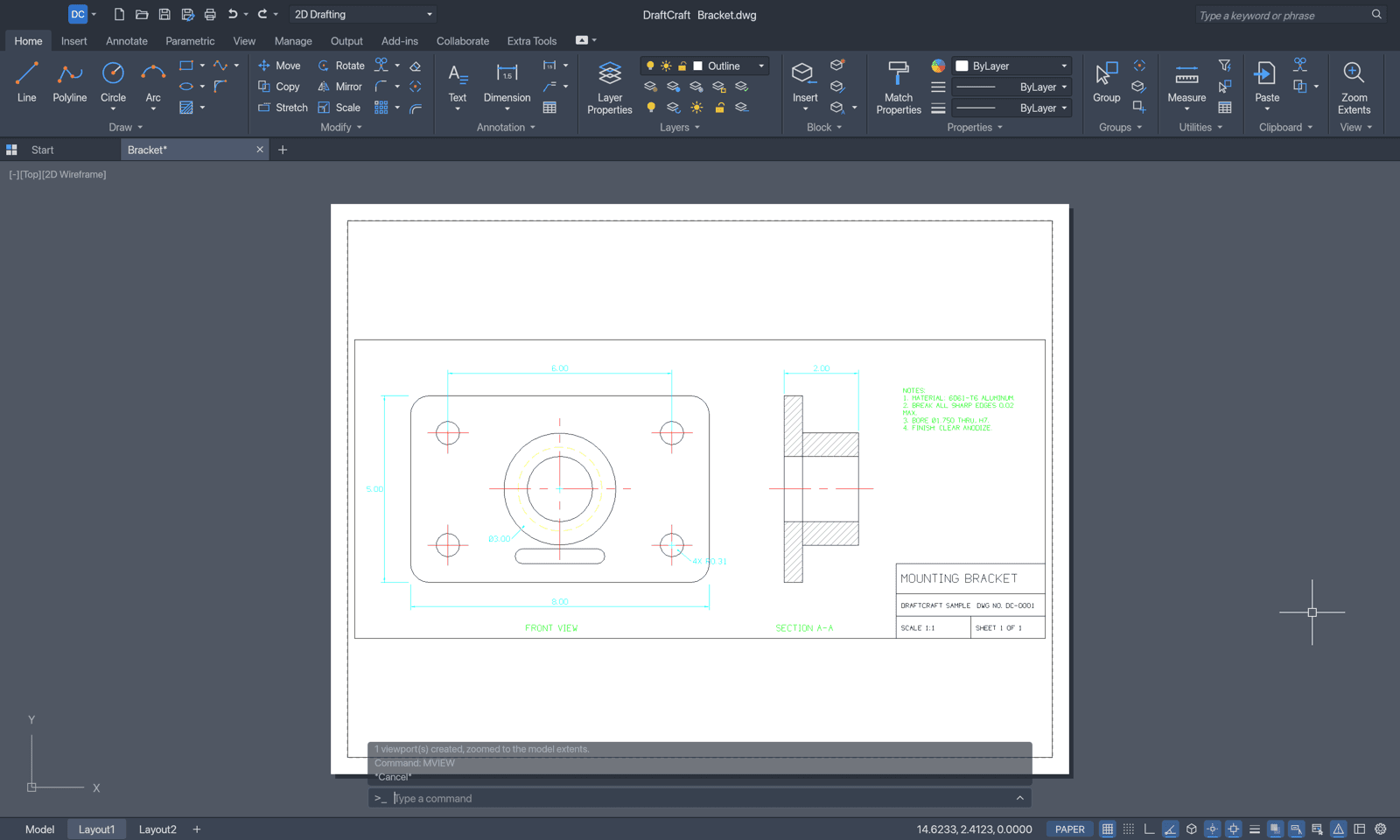
DWG and DXF are read and written at the version you choose, 2000 to 2018, and open in AutoCAD. Plot to PDF, export SVG and PNG.
Exact conic arcs
CONIC draws ellipse, parabola and hyperbola arcs — the soft corners fillets can't make — saved as rational splines every DWG and DXF program reads.
Fast and native
Pure Rust and egui: no Electron, no web view. Drawing happens on the GPU through Metal, DirectX 12 or Vulkan, with a CPU fallback.
Built for agents
Every menu item, tool and prompt is a command. Agents type at the command line, call commands with JSON, inspect and render the drawing — over MCP, a control channel or the CLI.
What works today
Young, and moving fast.
2D drafting, dimensioning, layouts and plotting work. Objects DraftCraft doesn't model yet can be lost on save.
Read the roadmap- Draw
- LINE, PLINE, CIRCLE, ARC, RECTANG, POLYGON, ELLIPSE, SPLINE, CONIC, XLINE, RAY, DONUT, REVCLOUD, WIPEOUT, TEXT, MTEXT
- Modify
- MOVE, COPY, ROTATE, SCALE, MIRROR, STRETCH, OFFSET, TRIM, EXTEND, FILLET, CHAMFER, BREAK, JOIN, EXPLODE, arrays, OVERKILL, grips
- Annotation
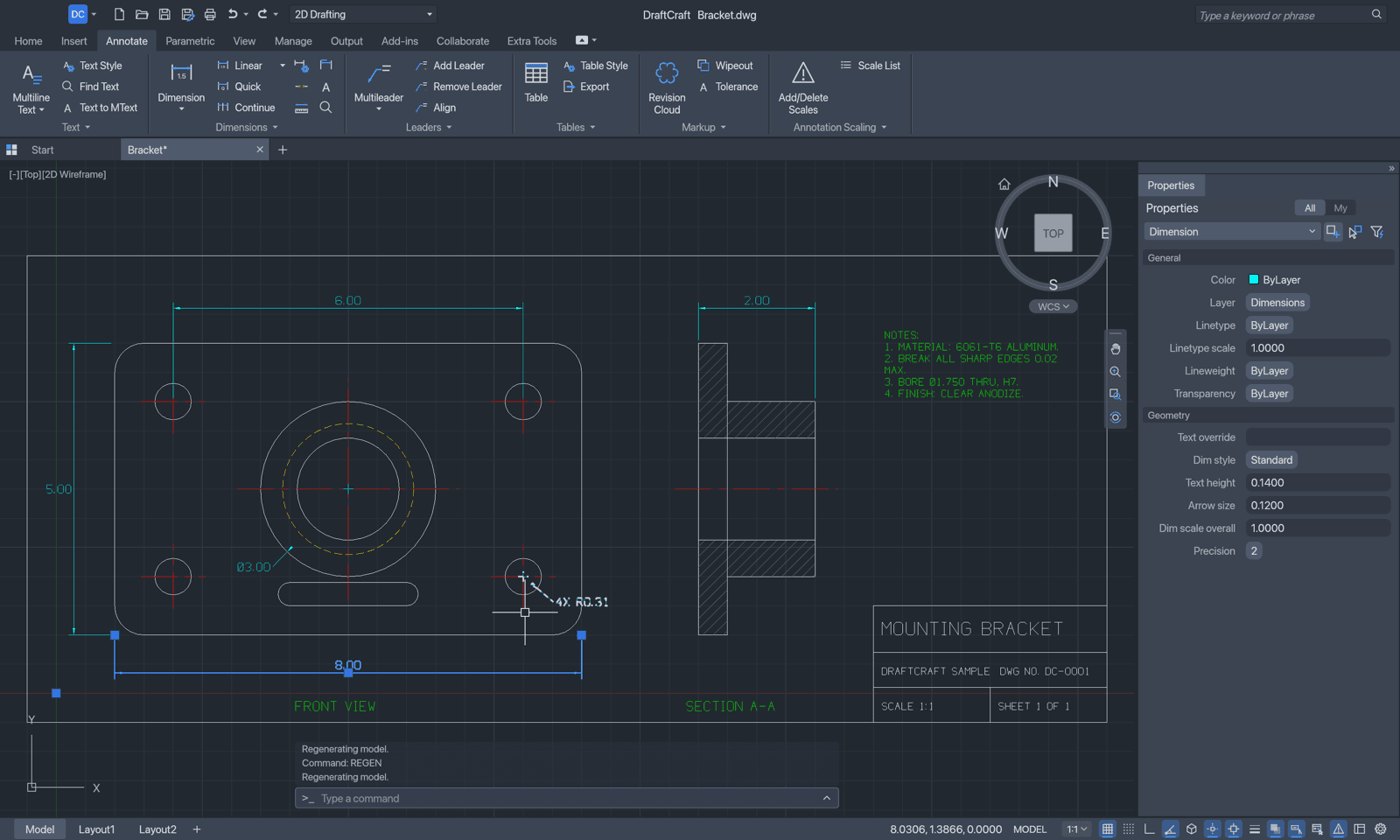
- DIM commands with styles and associative dimensions, multileaders, tables, TrueType and SHX fonts, right-to-left text
- Hatches & blocks
- Pattern, solid and gradient fills; blocks, attributes, the Block Editor, in-place editing, external references
- Parametric
- Geometric and dimensional constraints, AUTOCONSTRAIN, parameters with expressions
- Layouts & output
- Paper-space layouts, viewports, page setups, plot styles, PLOT and EXPORTPDF, SVG and PNG
- Files
- DWG and DXF at a chosen version, AUDIT and RECOVER, autosave and drawing recovery
- Automation
- MCP server, JSON control channel, draftcraft-cli, AutoLISP, scripts and alias files
Corners a fillet can't draw.
Circular fillets can't make the soft, continuous corners of a phone, a car body or a bottle. CONIC draws an exact piece of an ellipse, a parabola or a hyperbola — and saves it as a rational spline that AutoCAD and every DXF and DWG program open and edit as usual.
Four inputs
- 01Start — where the arc begins
- 02Apex — where the tangents at the two ends meet
- 03End — where the arc ends
- 04Rho — the shape: type a value, or click a point it should pass through
Rho is where the curve crosses the line from the chord's midpoint to the apex: below 0.5 it's an ellipse, at 0.5 a parabola, above it a hyperbola that hugs the corner.
conic 0,0 5,5 10,0 0.6{"command": "conic", "params": {
"start": [0,0], "apex": [5,5],
"end": [10,0], "rho": 0.6 }}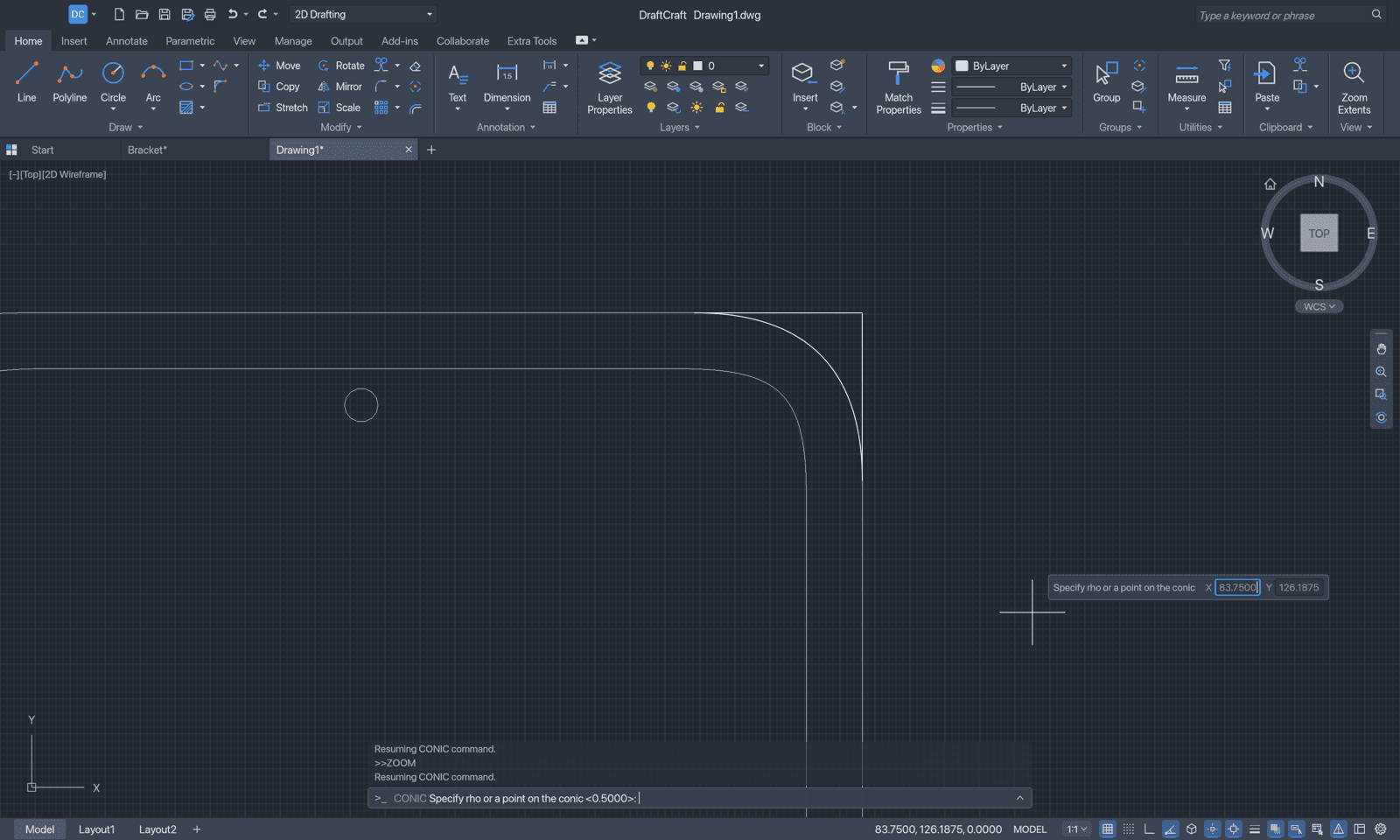
Type like you always have.
AutoCAD command names and aliases, prompts with clickable keywords, AutoComplete, @dx,dy, @d<a, #x,y, direct distance entry and transparent commands. Start typing anywhere in the drawing and it goes to the command line.
>_Command:
Keyboard
- New, open, save
- ⌘ N · O · S
- Plot
- ⌘ P
- Properties palette
- ⌘ 1
- Command line
- ⌘ 9
- Object snap
- F3
- Ortho
- F8
- Polar tracking
- F10
- Dynamic input
- F12
- Repeat last command
- ↩ / space
- Cancel
- esc
On Windows and Linux, Ctrl takes the place of ⌘
Built to be driven by agents, too.
Add DraftCraft's MCP server to Claude or any MCP client and the agent draws in the open window while you watch — on macOS it opens the app when needed. With no --connect it works on its own, without a window.
{
  "mcpServers": {
    "draftcraft": {
      "command": "/Applications/DraftCraft.app/Contents/MacOS/draftcraft-cli",
      "args": ["mcp", "--connect", "127.0.0.1:7982", "--launch"]
    }
  }
}- command_line
- types at the command line, like a person
- execute
- runs any command with JSON parameters
- inspect_drawing · query_entities · find_text
- reads the drawing
- render · screenshot
- looks at it
draftcraft-cli info drawing.dwg
draftcraft-cli convert drawing.dxf drawing.pdf
draftcraft-cli run --sample --script 'CIRCLE 22,3 1\n' \
  --save out.dxf --export out.png
Every download includes draftcraft-cli, the command-line and MCP tool: convert, render and script drawings from your own pipelines.
A familiar place to work.
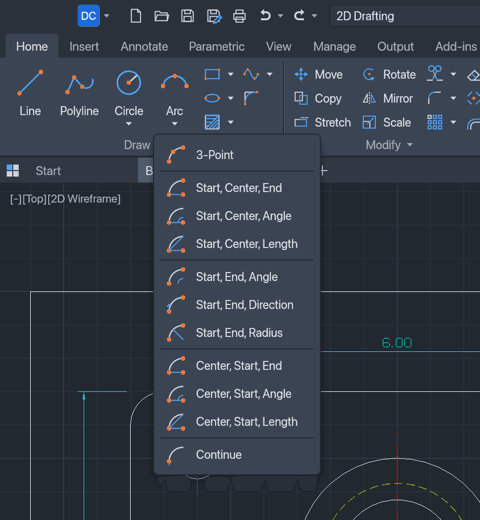
Split buttons · 03
Every method, with its own picture.
Arc ▾, Circle ▾, Trim ▾, Fillet ▾, Array ▾ … open a drop-down of their methods. Panels shrink and fold into a single button from the right when the window is narrow.
Download it, free.
No account and no subscription. Every download includes draftcraft-cli, the command-line and MCP tool. DraftCraft tells you when a newer version is out.
macOS
macOS 11 or later · Apple silicon
Disk imageApple silicon Macs.Command-line toolThe headless CLI and MCP server on its own.Drag DraftCraft into Applications. It isn't notarized yet: the first time, open it once, then System Settings › Privacy & Security › Open Anyway.
draftcraft-macos-arm64.dmg
Windows
Windows 10 and 11
64-bit (x64)Most Windows PCs.ARM64Windows 11 on ARM laptops.Unzip anywhere and run DraftCraft.exe. The build isn't signed yet: if SmartScreen stops it, choose More info, then Run anyway.
draftcraft-windows-x64.zip
Linux
Any distribution · x86_64
AppImageMark it executable and run.chmod +x draftcraft-linux-x86_64.AppImage, then run it.
draftcraft-linux-x86_64.AppImage
Release
Version 2.0.2.
Free for every platform above. Questions or feedback? We're on the DraftCraft Discord.
SHA-256 checksumsVerify any download above.Build from source
Run it today.
Needs Rust 1.95 or newer. New to Rust? Install it with rustup, then run:
git clone https://github.com/SkryxDev/DraftCraft.git
cd DraftCraft
cargo run --release -p draftcraft -- --sample